
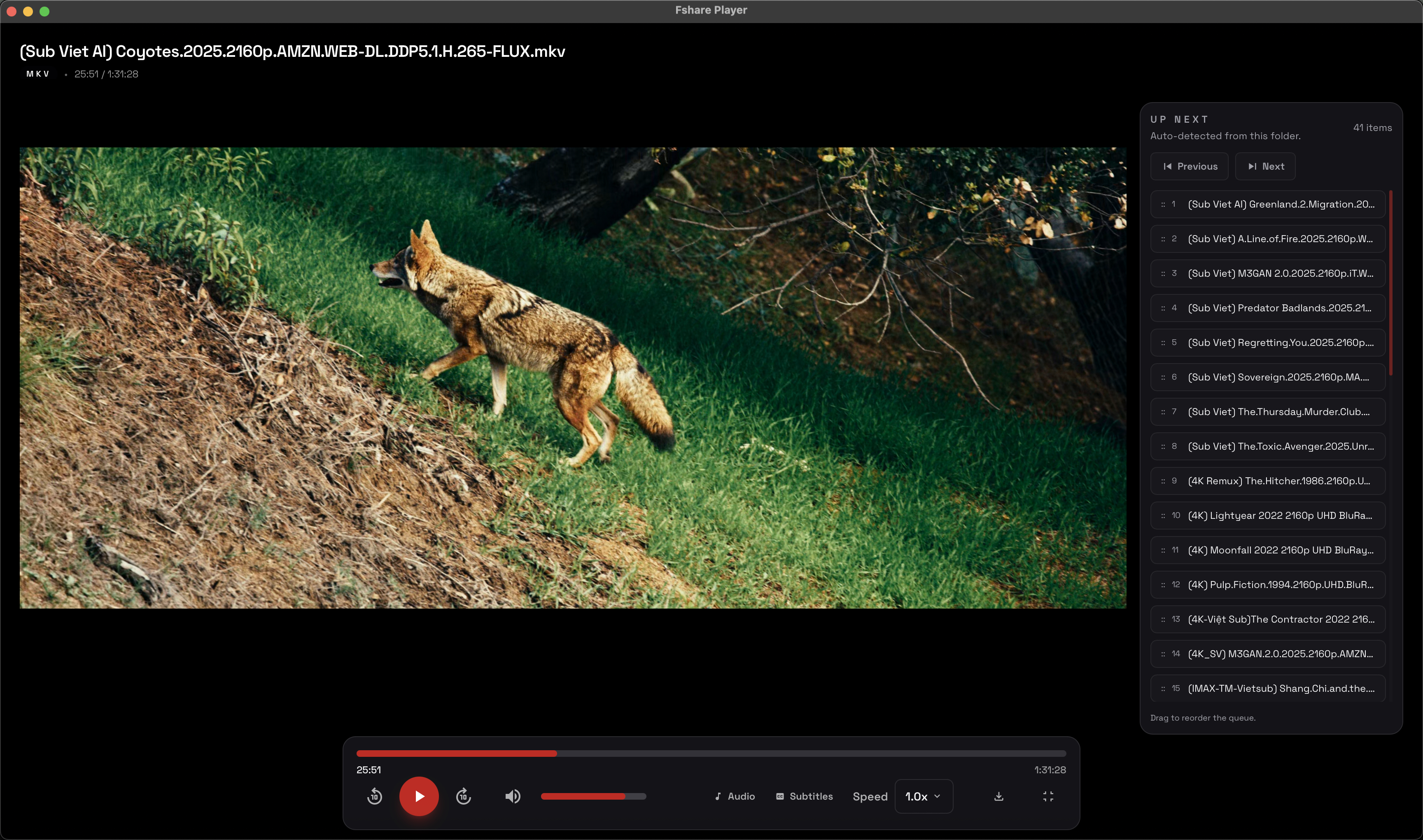
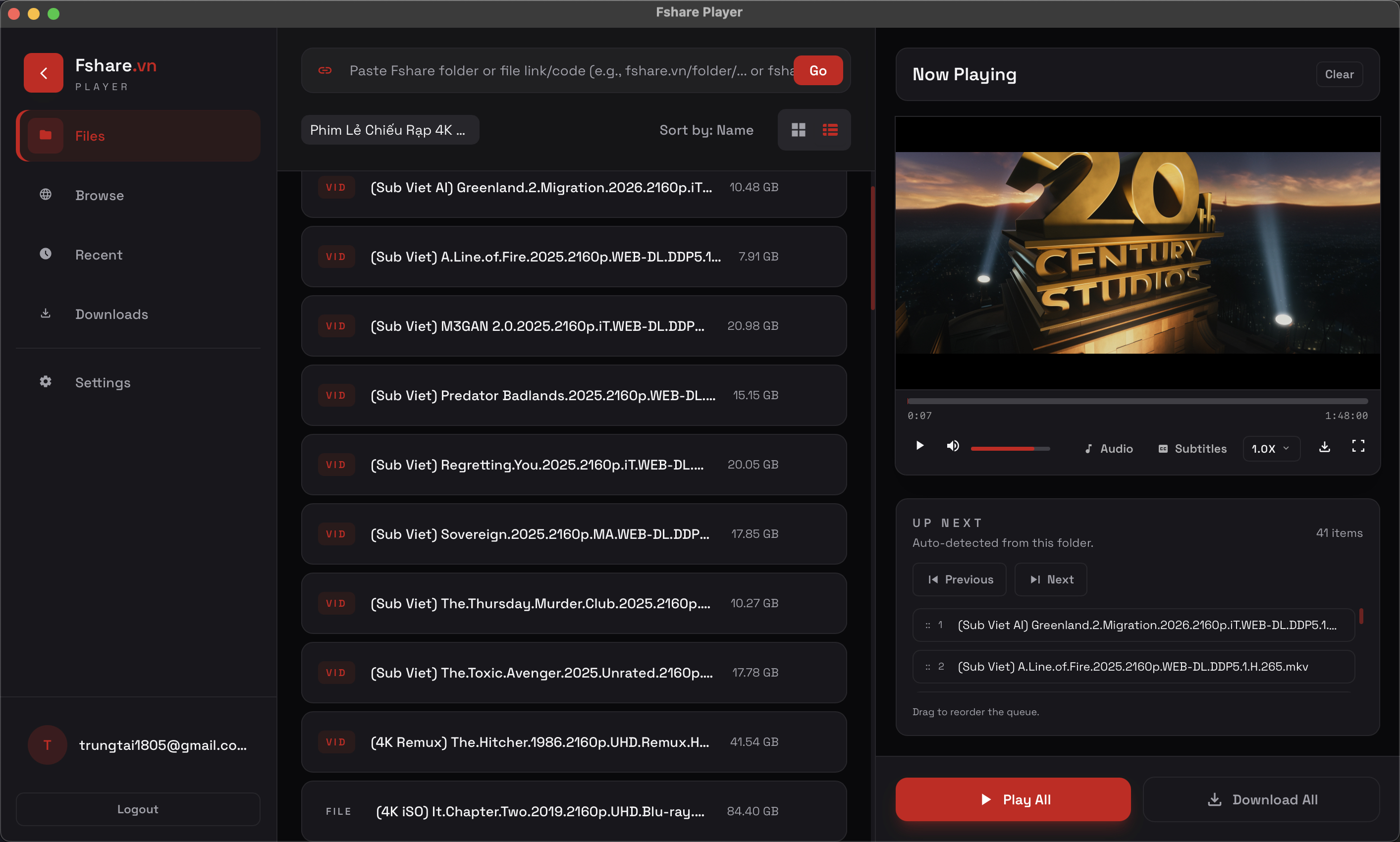
Player + File Manager in one screen
Track progress, seek instantly, control playlists, and access folders without leaving the app.
Desktop app for Fshare users
Stream directly without waiting for full downloads. No ads, just speed and clean focus.
Real experience
Designed around real daily workflows for watching and managing files: fast, clear, and efficient.
Track progress, seek instantly, control playlists, and access folders without leaving the app.
Why choose it
Paste a Fshare URL and start watching instantly with smart buffering.
Split files into segments to fully utilize your bandwidth, even for large files.
A distraction-free interface with no popups or banners during playback.
Official authentication flow helps reduce account risk and improve trust.
Pricing
0đ/month
Payment and Pro activation are handled inside Fshare Player.
Payment and Pro activation are handled inside Fshare Player.
FAQ
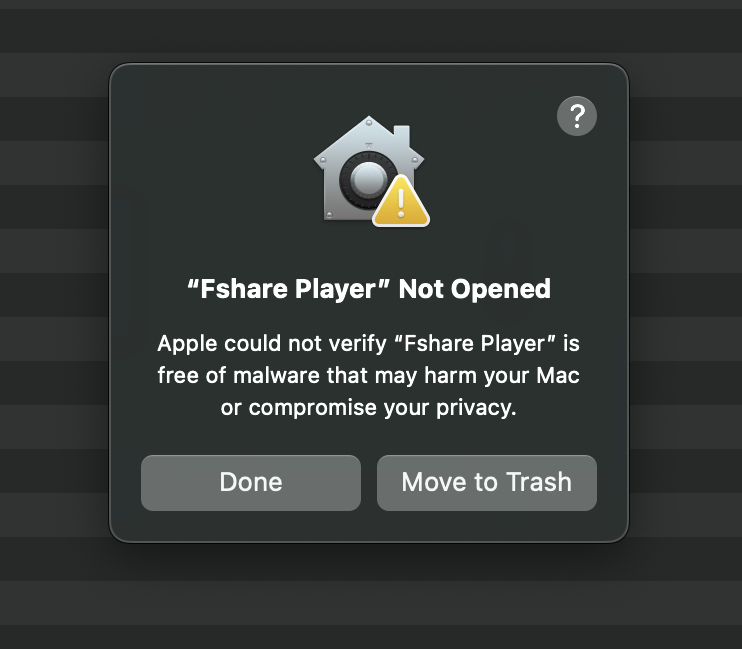
This warning is shown by Gatekeeper when the downloaded build has not been Apple notarized. If you downloaded Fshare Player from the official link, follow these steps to open it the first time.
Open the .dmg file, drag Fshare Player into Applications, then launch it from Applications.
If macOS says Apple could not verify Fshare Player or Fshare Player Not Opened, click Done to close the dialog.
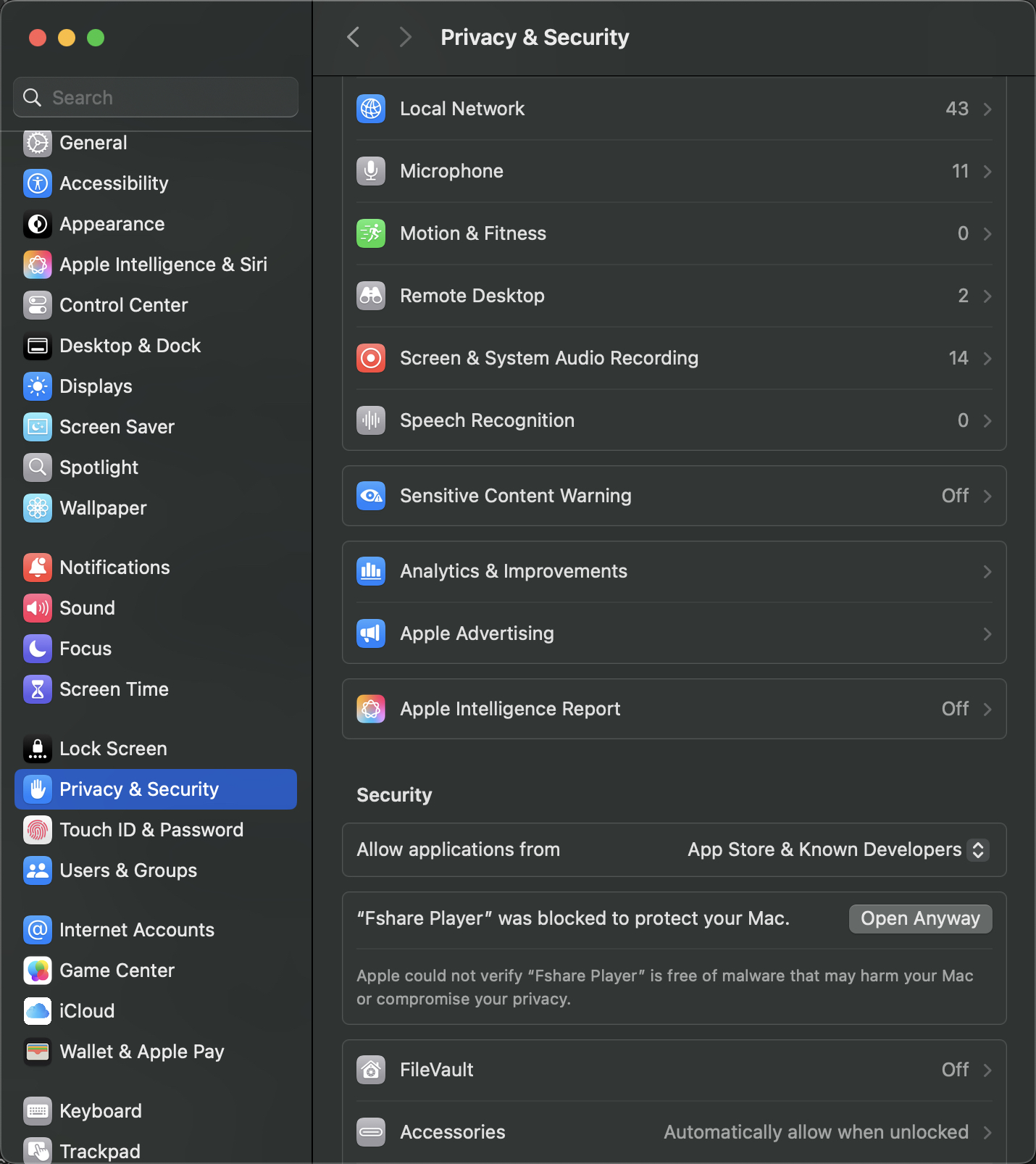
Open System Settings, choose Privacy & Security, then scroll down to the Security section.
On the Fshare Player was blocked to protect your Mac row, click Open Anyway and confirm opening the app.
No. Player Pro is a Fshare Player subscription for player features. It does not replace or automatically become Fshare VIP.
Upgrade inside the desktop app. The app uses the signed-in Fshare account to sync the subscription correctly.
No. The app works through Fshare APIs and does not store user account information. When you buy a plan, it uses the signed-in Fshare username to match the purchase to the correct account.
Playback speed depends on Fshare.vn download limits for each account type. For the best experience, use a Fshare VIP account. Fshare Player only acts as the player and cannot bypass speed limits set by Fshare.